
Field note / BusinessStub
A Business Website Should Work Like a Front Office
A modern website should do more than explain the business. It should give inquiries, conversations, calls, messages, bookings, content, and follow-up a clear path into the operation—without becoming another disconnected tool.
A brochure tells people what a business does. A front office receives them, remembers the conversation, routes the request, and makes the next step visible.
Many small-business websites stop at the brochure. The page may look modern and the form may send an email, but the operation behind it is fragmented. Form submissions land in one inbox. Website chat lives somewhere else. Calls and texts sit on a phone. Appointment requests use another service. Nobody can see the complete conversation without searching across tools.
The problem is not that the business needs a busier website. The problem is that its main digital entry point is disconnected from the way customer work is handled.
I have been building BusinessStub around a different idea: the website can be the entry door to a connected small-business front office. The public site remains focused and fast, while the operating layer behind it can bring customer context, communication, editing, and follow-up into a shared system.
That does not guarantee leads, revenue, rankings, or business results. It makes the infrastructure more coherent so the business can respond and operate with better context.
The website is where intent becomes work
A visitor arrives with intent: ask a question, request an estimate, book time, call, send a message, or decide whether the business looks credible. Once the visitor acts, the website has created operational work.
A useful system should preserve at least:
- who made the request;
- which page or offer prompted it;
- what the person asked;
- the channel they used;
- whether they consented to a particular kind of follow-up;
- who owns the response; and
- what happened next.
If that context disappears into an unstructured notification email, the team has to reconstruct it manually. If every channel creates a separate identity, the business cannot easily tell that a caller and a form submitter are the same person.
The front-office view begins with shared customer memory.
Shared memory is more important than more channels
Adding chat, text, email, or online booking can be useful. Adding each one as a separate island can make the operation worse. The team gains more places to check and more ways to miss a handoff.
A connected front office treats channels as different doors into the same relationship. A form inquiry, chat conversation, call, voicemail, text, email, or booking event should be able to contribute to a common timeline when identity and consent allow it. A person should be able to understand the history without impersonating the customer across five vendor dashboards.
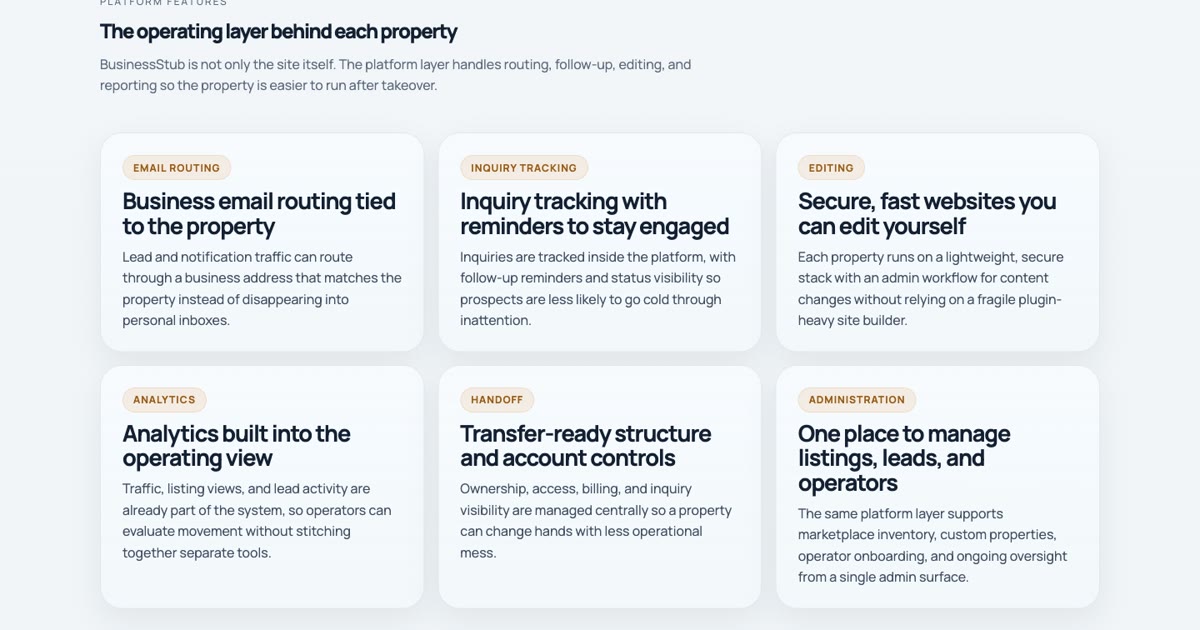
BusinessStub’s operating layer has grown in this direction. It includes inquiry and conversation capture, customer records, website chat, calls and voicemail, SMS and MMS, email, bookings, site editing, and publishing tools. The point is not to advertise the longest feature list. The point is to make those capabilities cooperate around the customer and the work.
A static public site can still have a capable operating layer
A front-office website does not need to become a heavy client-side application. The public pages can remain static, accessible, indexable, and fast. Sensitive actions can pass through bounded server-side routes into the system that owns customer state.
That separation has practical benefits:
- the public experience stays dependable and easy to cache;
- credentials remain out of browser code;
- integrations can validate and limit incoming requests;
- business content can be edited through constrained fields rather than arbitrary page code; and
- operational features can evolve without turning the marketing site into a monolith.
This Boise AI Studio site uses that pattern. Its important marketing content is built into static pages, while the inquiry and assistant paths use same-origin server routes. The site can remain a website first and still participate in a broader operating system.
Editing should not require redesigning
A business owner should be able to update approved text, images, services, contact information, or an article without gaining the ability to accidentally break the layout or deployment configuration.
BusinessStub uses constrained editing: the site defines which content is editable, the control plane writes those approved values to the site repository, and the normal build produces the public pages. Blog publishing follows the same principle. Drafts and revision history live in the management layer; publishing creates a static content projection the site renders at build time.
This preserves two things that are often treated as opposites: owner control over business content and developer control over the structure that keeps the site stable.
Communication needs consent and recovery
Connecting a website to calls, text, or email is not only a convenience project. Each channel creates responsibilities. Text consent should be explicit and separate from a general contact form. The system should preserve what a person agreed to. Messages need delivery and failure states. A timed-out chat request should not be replayed blindly if the first request may already have succeeded. Voicemail and email need clear ownership.
These details are part of the customer experience even though customers rarely see the architecture. A front office earns trust by handling the unremarkable cases predictably—and making the exceptional cases visible to a person.
The smallest useful version is a clear handoff
A business does not need to install every channel at once. Start with the handoff that currently loses the most context.
For many businesses, a practical first version is:
- a focused public page with one clear action;
- an inquiry form that records source and consent;
- one customer record for the request;
- an assigned owner and visible response state;
- a notification path that can fail without losing the inquiry; and
- a simple way to update the public content.
Calls, chat, messaging, bookings, automation, and reporting can be added when the operation is ready to own them. The system should expand around observed work, not around a checklist of fashionable features.
What to look for in an existing website
If a site already brings in customer activity, I would trace one real request from arrival to resolution:
- Can the business tell which page or offer produced it?
- Does the request create a durable record?
- Can the next person see prior communication?
- Are channel and consent boundaries clear?
- Is ownership of the next action visible?
- Can the business recover if a notification or integration fails?
- Can routine content changes happen without risking the site?
The answers reveal whether the website is part of the operation or merely adjacent to it.
A website does not need to replace a CRM, phone system, inbox, scheduler, and every internal tool. It needs to connect the customer’s entry point to an understandable path through them.
That is the shift from brochure to front office: not more technology on the page, but less lost context after someone raises their hand.